Best Budget USB Microscope UK: Value Buyer's Guide
The best digital microscope depends on the task, not the largest advertised magnification. For coins and surface inspection, prioritise a stable stand, controlled lighting and clear image capture. For PCB soldering, choose enough working distance and usually stereo depth. Before buying, verify native resolution, connection type, UVC or app support, UK returns and the seller’s tested compatibility with your device.
Best Budget USB Microscope UK: A Value Buyer's Guide
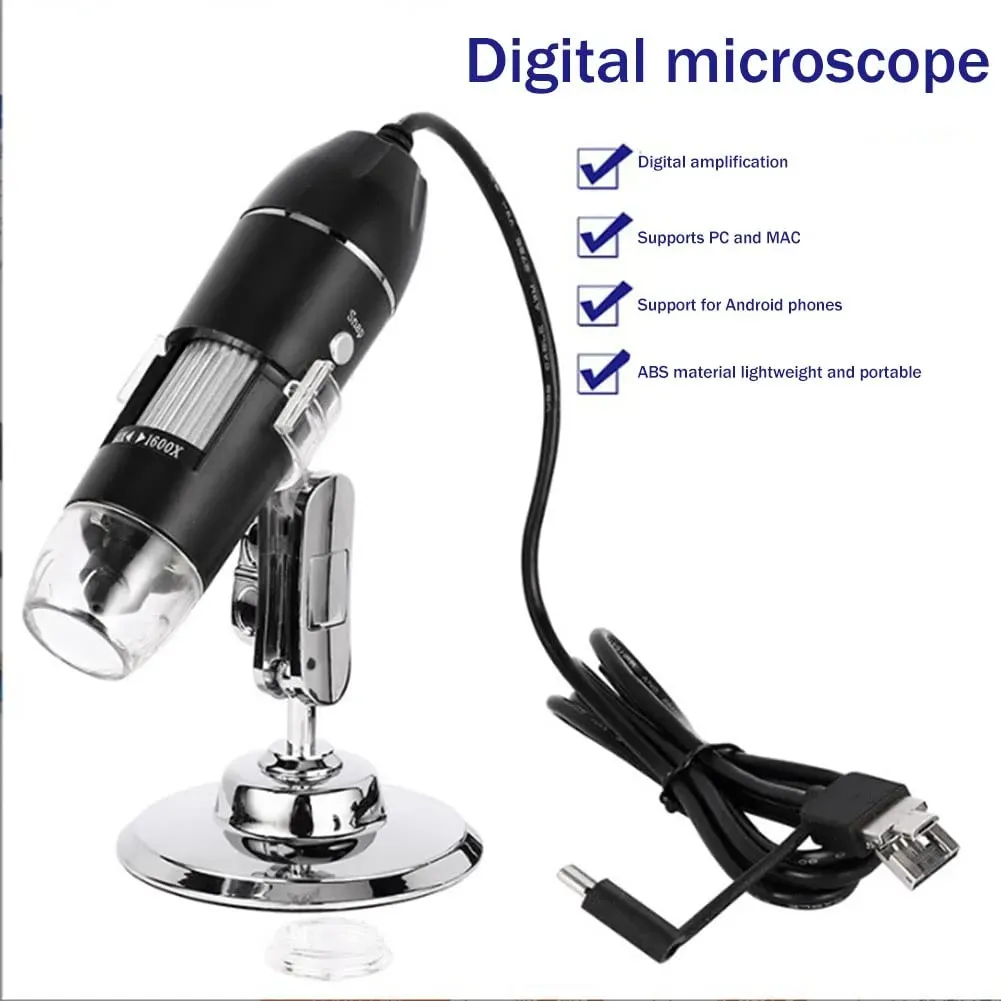
What to expect from a budget USB microscope in the UK: 8 LEDs, a stand, PC/Android OTG capture — and why the Jiusion at £34.99 inc VAT is real value.
The best budget USB microscope in the UK is one that nails the basics: bright, adjustable lighting, a steady stand, easy PC or Android (OTG) capture, and clear returns. At £34.99 inc VAT with a 12-month warranty and 30-day returns, the Jiusion 1600X USB Digital Microscope hits that value sweet spot.
What “budget” really means here
At £34.99 inc VAT, you are buying a plug-and-play USB camera on an adjustable stand for everyday inspection. For most people that is exactly right. Inspecting coins, solder joints, jewellery, stamps, fabrics and classroom samples does not need a four-figure scope; it needs even light, a stable image and a simple way to capture what you see.
The skill in buying cheap is knowing which corners are acceptable and which are not. Spend your attention on lighting, stability, connectivity and after-sales cover. Treat headline magnification numbers with healthy scepticism, because that is where budget listings tend to over-promise.
Features that actually matter at this price
Even, adjustable lighting
Poor light is the biggest reason cheap microscope images look muddy. Eight adjustable LEDs around the lens let you lift shadows and dial brightness to suit the surface, which matters on shiny targets such as coins, gemstones and solder. Being able to reduce glare on reflective metal is often more useful than any extra magnification.
A stand that holds still
Handheld shake destroys fine detail. The Jiusion includes an adjustable metal stand, so you can frame a subject, focus once and capture without the wobble you get holding the barrel by hand. A steady stand is one of the clearest signals that a budget scope has spent money where it counts.
Connectivity that matches your device
Check the ports before you buy anything. The Jiusion is USB-powered — no batteries — and works with Windows, Mac and OTG Android phones or tablets. If you are on Android, confirm OTG support first; a free OTG checker app is the quickest test, and Android’s own USB host guidance on developer.android.com explains the requirement. iPhone and iPad are not supported. For a fuller walkthrough, see our guide to a USB microscope that works with Android OTG.
Manual focus and honest magnification
A manual focus wheel lets you set near or far detail by hand. The Jiusion 1600X USB microscope uses digital magnification up to 1600X, and the view depends on your screen size and viewing software. Usable, well-lit detail is what you actually keep.
What not to expect at this price
- A lab microscope. This is a USB inspection camera. Chase a sharp, well-lit image rather than the biggest number on the box.
- A dedicated microsoldering rig. For occasional inspection it is ideal, but for continuous rework a stereo microscope may be more comfortable to work under during long sessions.
- Any medical or diagnostic role. This is a tool for close-up viewing and inspection only — never for skin, scalp or clinical assessment.
- Invented spec sheets. Ignore unverifiable claims about sensor megapixels, exact resolution, water resistance or bundled software. If a number is not stated by the seller, assume it is marketing.
How to judge value (a quick checklist)
- Lighting: adjustable LEDs you can tune to the surface.
- Stability: an included stand, not just a handheld barrel.
- Connectivity: confirmed support for your actual computer or phone (OTG for Android).
- Price clarity: one VAT-inclusive figure, so £34.99 is what you pay, not a pre-tax teaser.
- After-sales cover: a real warranty and a clear returns window.
- Honest specs: magnification described as digital/effective, with no invented lab claims.
Score any cheap microscope against those six points and you will quickly separate genuine value from a race to the lowest headline price.
Why the Jiusion is good value at £34.99
The Jiusion covers the whole checklist without the guesswork. You get the 8-LED lighting, the metal stand, USB-A connection with Type-C and Micro USB adapters and photo/video capture through compatible software — all at a single, VAT-inclusive £34.99. Marketplace prices and delivery can change, but the offer is deliberately simple: one honest UK price rather than a stripped-back figure that grows at checkout.
Just as important is the cover behind it. The Jiusion comes with a 12-month limited UK warranty and a 30-day returns window, on top of your statutory rights — UK consumer protection is summarised on gov.uk, and buying from a UK seller keeps those remedies straightforward if something is faulty. Orders usually dispatch within 1–3 business days.
If you want to compare specifications and features in more depth first, read our best digital microscope buying guide for the UK, then check the current listing and full details on the Jiusion USB Digital Microscope product page. For a first scope that earns its keep on coins, electronics and STEM projects, this price is a sensible place to start for coins, electronics and STEM projects.
FAQ
Is a budget USB microscope actually worth it?
Yes, for inspection and hobby use. At £34.99 inc VAT you get even lighting, a steady stand and easy capture, which is all most coin, jewellery, electronics and STEM tasks need. Just set expectations on magnification and avoid listings that invent lab-grade specifications.
Will it work with my phone or iPhone?
It works with Android phones and tablets that support USB host mode (OTG); check OTG first with a free checker app. It also runs on Windows and Mac. iPhone and iPad are not supported, so plan to use a computer or a confirmed OTG Android device.
What can I actually inspect with it?
Coins and mint marks, solder joints and PCB traces, jewellery settings and scratches, stamps, fabric fibres, print dots, plants and insects. It is built for close-up viewing and inspection only — not for medical, dermatological or diagnostic use of any kind.